In-store inventory operations
The operating system for your resale floor
CircaOS handles intake, pricing, labeling, and POS sync automatically so your team can focus on finding and selling great items. Learn how you can run your resale store's inventory operations.
Intake
From item in hand to priced and labeled in under a minute
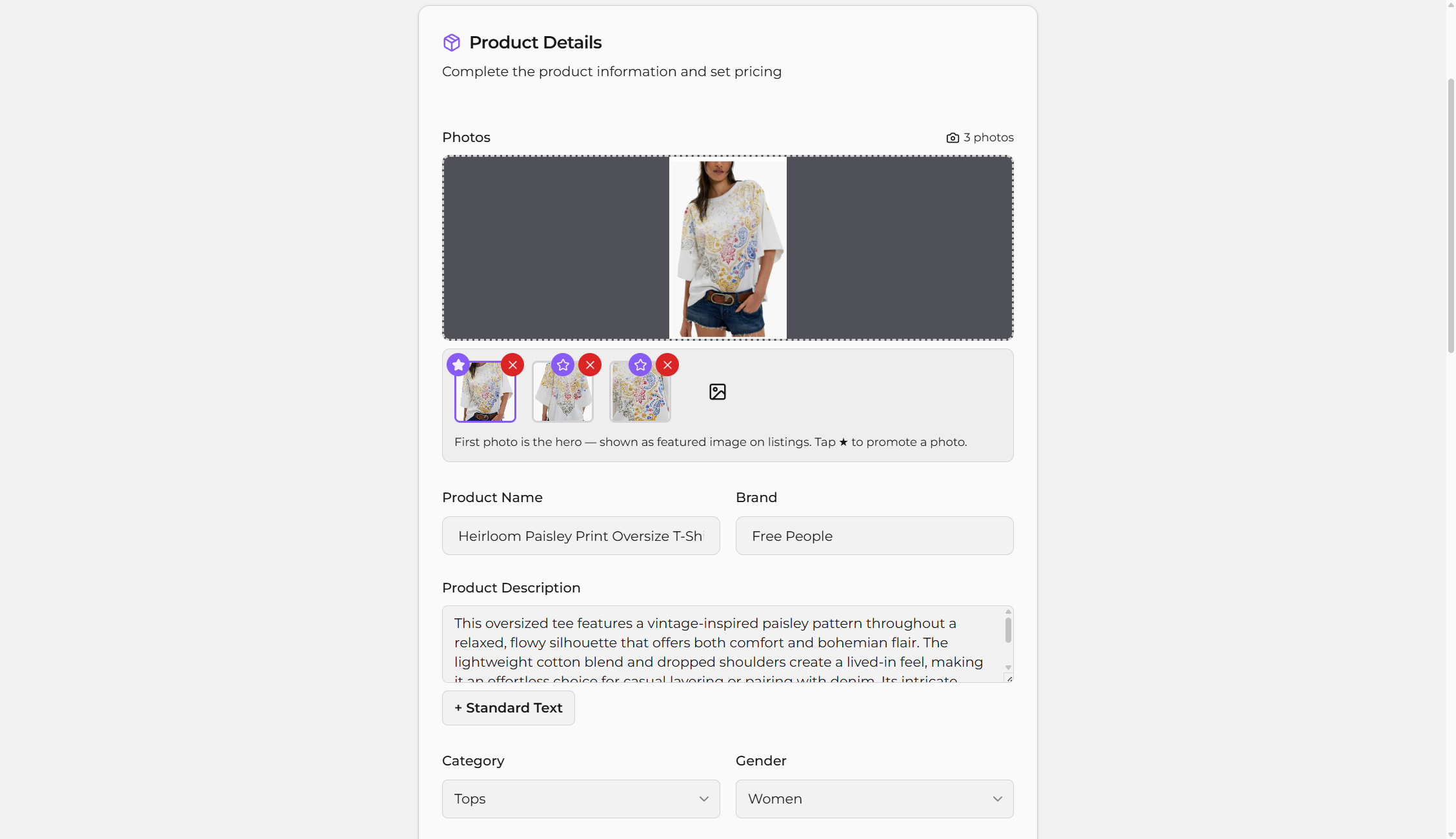
CircaOS identifies items from a photo, looks up market pricing based on your preferences, calculates your buy price based on your rules, generates a SKU, and queues a label — all in a single workflow. Your team follows a uniform process based on your customized rules. That consistency means faster inventorying and more accurate product info.
Item identification
Point your camera at an item. CircaOS reads the brand, category, and condition automatically — no manual research required.
Automatic buy pricing
Set your pricing rules once — floors, ceilings, standard mark-downs, and condition-based adjustments. CircaOS applies them to every item, every time.
Label printing
Every item gets a unique SKU-barcoded label. Print directly from CircaOS — no separate software, no extra steps.
Tap Intake for high-volume categories
Configure quick-entry buttons for item types that don't need the full scan workflow. Process high-volume common categories at speed.
POS sync
Stop entering items twice
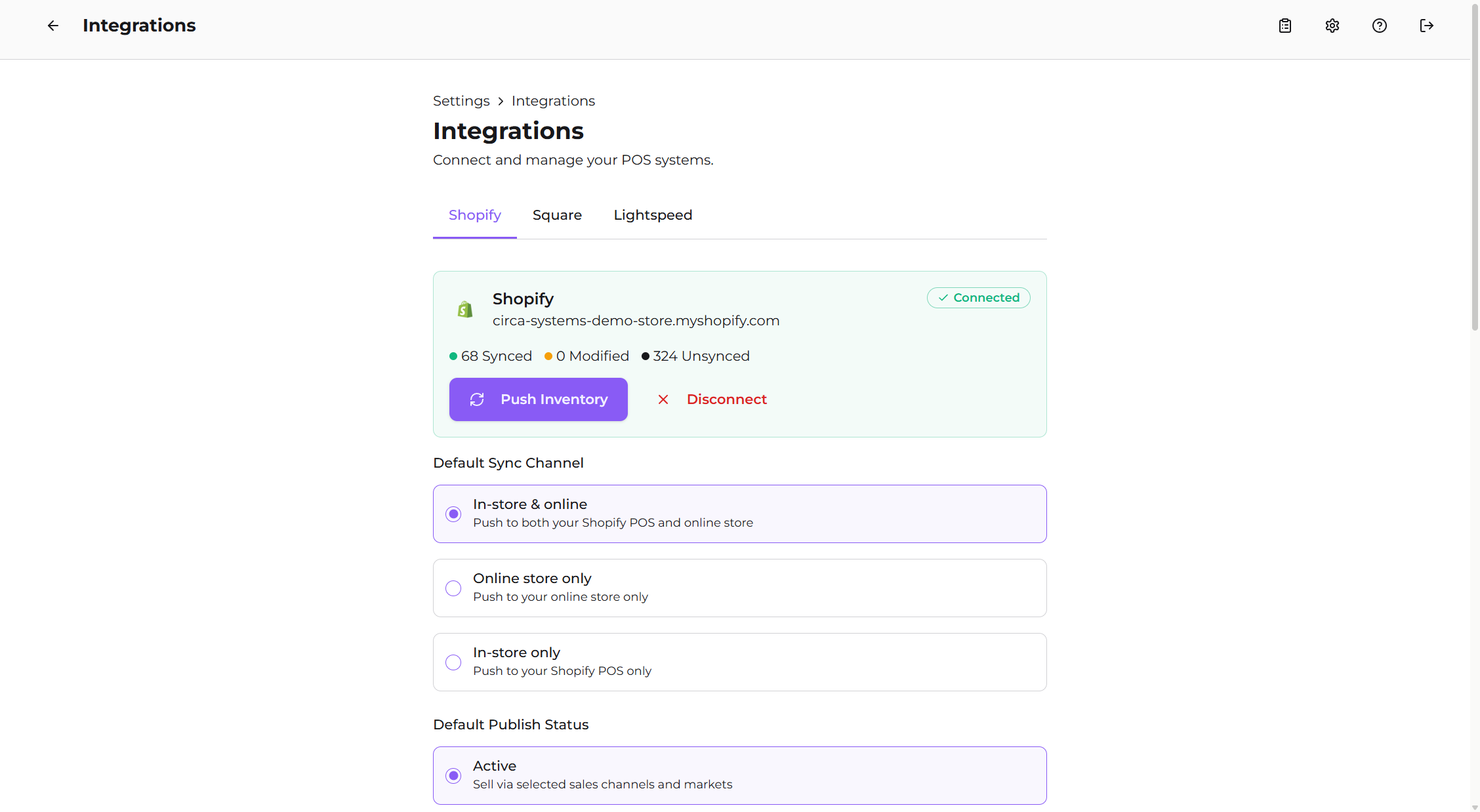
When an item is ready to sell, one click pushes it from CircaOS to your POS — title, description, price, images, and SKU included. No re-entry. No transcription errors. CircaOS connects directly to Shopify, Square, Lightspeed X-Series, and Simple Consign.
Shopify
Push inventory to your online store and in-person Shopify POS in one action. Items appear in your catalog immediately.
Square
Sync items to your Square catalog the same day you scan them. Sell in-store without any double entry.
Lightspeed X-Series
Direct integration with Lightspeed X-Series. Full item data transfers with one click.
Simple Consign
Send items to your Simple Consign store with description, pricing, photos, and mapped categories. Assign a consignor at intake and the item syncs as a consignment piece.
No double entry
Every field CircaOS captures — title, description, price, condition, photos, SKU — transfers to your POS automatically. Your team never types item data twice.
Run your floor with more peace of mind
14-day free trial.No seat fees.Works on any device — no app download required.